Energy-Based Scheduling App Review: Why ZoBud Changes Everything for Busy Founders
ZoBud is an energy-based scheduling app that matches your tasks to your energy and mood, not just your calendar.
Here's exactly how it works, and how to run the Energy-Colour Method inside it.
What's the Difference Between Traditional Scheduling and Energy-Based Scheduling?
Traditional scheduling asks: what time is it, and what's due?
Energy-based scheduling asks: how do you feel right now, and what actually fits?
- Traditional apps show you everything, all the time, regardless of your state.
- Energy-based apps check in first, then adjust what you see.
- Traditional apps treat a founder at 7am the same as a founder at 11pm after zero sleep.
- Energy-based apps don't.
What Is ZoBud?
ZoBud is a productivity and wellness app built around one idea: energy first, tasks second.
It's available on iOS, Android, and web at zobud.com and app.zobud.com.
It's offline-first, so your check-ins and tasks work whether or not you have signal.
How Does ZoBud Track Your Energy and Mood?
Every session starts with a quick check-in. It takes seconds, not minutes.
- Tap your mood and energy level
- Smart-suggested emotion chips, so you're never staring at a blank prompt
- An optional irritability field for rougher days
- One sleep check-in per day, shown only on your first check-in
No long surveys. No friction. Just enough signal for the app to actually adjust.
What Are Task Bubbles, and Why Do They Work So Well?
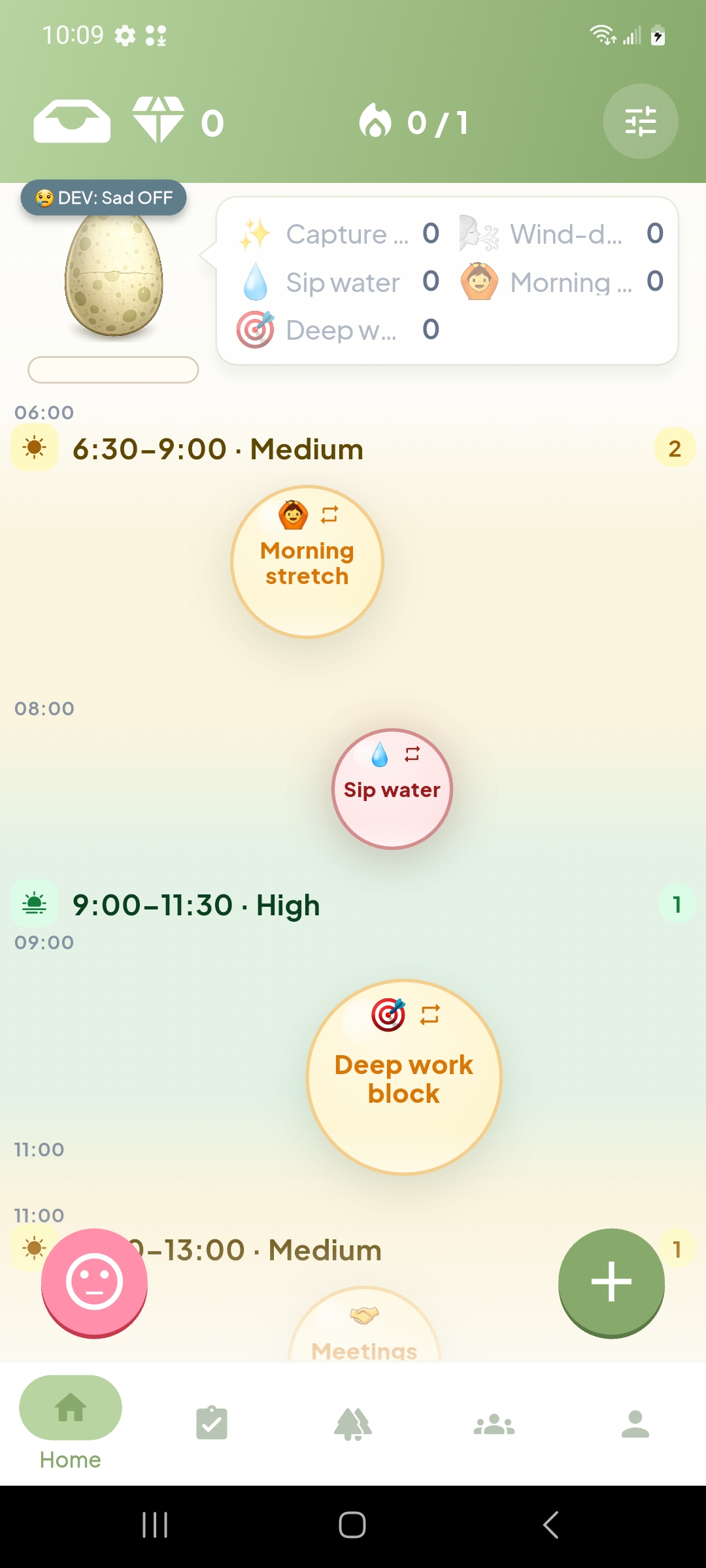
Instead of a flat list, ZoBud shows tasks as bubbles.
- Bubble size = effort. Bigger bubble, bigger lift.
- Bubble color = urgency. One glance tells you what's pressing.
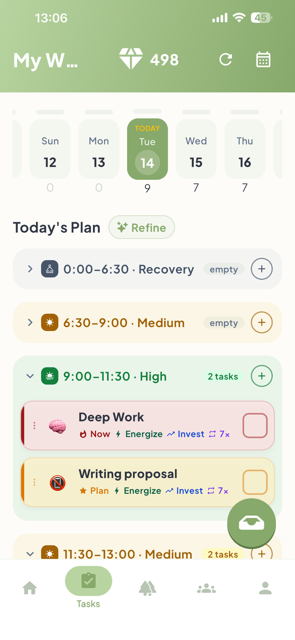
- Time buckets. Every task sits in Morning, Afternoon, Evening, or AnyTime.
You see your whole day's shape in one glance. No reading required. That matters most on the days you have the least mental bandwidth to read a list at all.
How Do You Apply the Energy-Colour Method Inside ZoBud?
The Green/Red framework maps directly onto how ZoBud already works.
Green tasks (energizing): Schedule these into your peak time bucket. If mornings are your best hours, that's where your green bubbles go.
Red tasks (draining): Let ZoBud's Energy Gate do the filtering. On a low-energy check-in day, high-effort bubbles automatically step back, so you're not confronted with everything you're behind on.
Here's the four-step version:
- Do your check-in first thing.
- Scan your bubbles. Big, high-urgency ones are your hardest asks today.
- Cap yourself at two high-effort tasks for the day, no matter what else is on the list.
- Let Energy Gate quietly handle the rest on low-energy days. It's not avoidance. It's sequencing.
This turns "never more than two red tasks a day" from a rule you have to remember into something the app enforces for you.
What Other Features Help Prevent Founder Burnout?
Habit heatmaps with energy overlays. GitHub-style streak maps, color-layered with your energy history, so you can actually see the connection between consistency and how you've been feeling.
Hatch Monument reward system. Completing tasks and habits hatches a bird. Milestones become monument cards, a frozen snapshot of your stats. Progress feels tangible instead of abstract.
Bud, your companion. A mascot that responds to your check-ins over time. Small, low-effort companionship without adding another thing to manage.
A built-in wellness toolkit. A one-tap Panic Button for acute stress moments. A Worry Campfire for offloading racing thoughts before they spiral. Guided relaxation tools for when a red day gets genuinely heavy.
AI insight breakdowns. Day one gives you instant feedback. Weeks in, the insights deepen, connecting your mood, energy, and task completion into patterns a plain mood log can't show you.
Weekly energy view. Zoom out and see your whole week's energy shape at once. Plan next week around real data instead of a guess.
What Does a Week With ZoBud Actually Look Like?
One two-person startup founder started her week assuming Mondays were her best day. Her check-ins said otherwise.
Her real peak showed up Tuesday and Wednesday afternoons.
She started saving her hardest product work for those windows. Red tasks like investor admin got batched into Friday mornings, capped at two per day.
Within a few weeks, her habit heatmap showed longer streaks, not because she pushed harder, but because she stopped fighting her own patterns.
How Do You Get Started With ZoBud?
- Download ZoBud at zobud.com or app.zobud.com.
- Do your first energy check-in. It takes under a minute.
- Color-tag today's tasks green or red as you add them.
- Let the app filter and suggest for a full week before judging the results.
ZoBud has a free tier, so you can try the full check-in and task bubble system before deciding if you want more.
FAQ
What makes ZoBud different from other scheduling apps? ZoBud checks your mood and energy first, then adjusts what tasks it shows you. Most scheduling apps show the same list regardless of how you feel.
Does ZoBud use the Energy-Colour Method? ZoBud's Energy Gate and time-bucketed task bubbles let you apply the Green/Red framework directly, capping high-effort tasks and surfacing energizing ones during your peak hours.
Is ZoBud good for founders and solopreneurs specifically? Yes. With limited hours and no room for burnout, matching hard tasks to real peak energy, instead of guessing, has an outsized impact for solo operators.
Does ZoBud work offline? Yes. ZoBud is offline-first, so check-ins and task tracking work without an internet connection.
Is there a free version of ZoBud? Yes. ZoBud offers a free tier with core check-in and task features, with optional Pro features for deeper insights.
Try It Yourself
Stop scheduling around a clock that doesn't know how you feel.
Try ZoBud free at zobud.com and run your first energy check-in today.